Optimizing Cold Start in AI Security
Exploring how security practitioners move from a blank input to meaningful investigations in Neo.
Project Summary
- Role
- Product Designer
- Duration
- 8–10 weeks
- Team
- Product Designer, Founder, Product Manager, 2 Engineers
- Platform
- Web · AI-native Security Platform
- Tools
 Cursor
 Figma
Figma Claude Code
 GitHub
 Vercel
- Scope
- AI UX · Design Engineering · Prototyping · Frontend Implementation.
- Validation
- Internal design reviews, engineering feedback, and demo conversations at RSAC
Context and problem
The way we use software is changing. Instead of navigating through buttons, menus, tabs, and workflows, users can now simply describe what they want in natural language. As products become AI-native, interfaces are shifting from clicks to conversations and open-ended intreactions.
Neo is an AI-native security platform by ProjectDiscovery that helps security engineers and researchers identify vulnerabilities, investigate security findings, and audit code using natural language.
An open-ended/conversational interface gives users the freedom to ask or do anything, but very little context on what and how they should ask. Without clear examples or starting points, users were left to discover Neo's capabilities through trial and error, often resulting in false positives and inconsistent outcomes.
In a technical product where prompt quality directly influences the quality of the analysis, getting started became one of the biggest UX challenges.
Research
Before exploring solutions, I studied how AI-native technical/developer tools help users move from a blank input to meaningful work.
Across these products, a common pattern emerged. Very few relied on a completely blank starting experience - most combined conversational input with examples, suggested actions, or structured entry points to help users get started.
Process
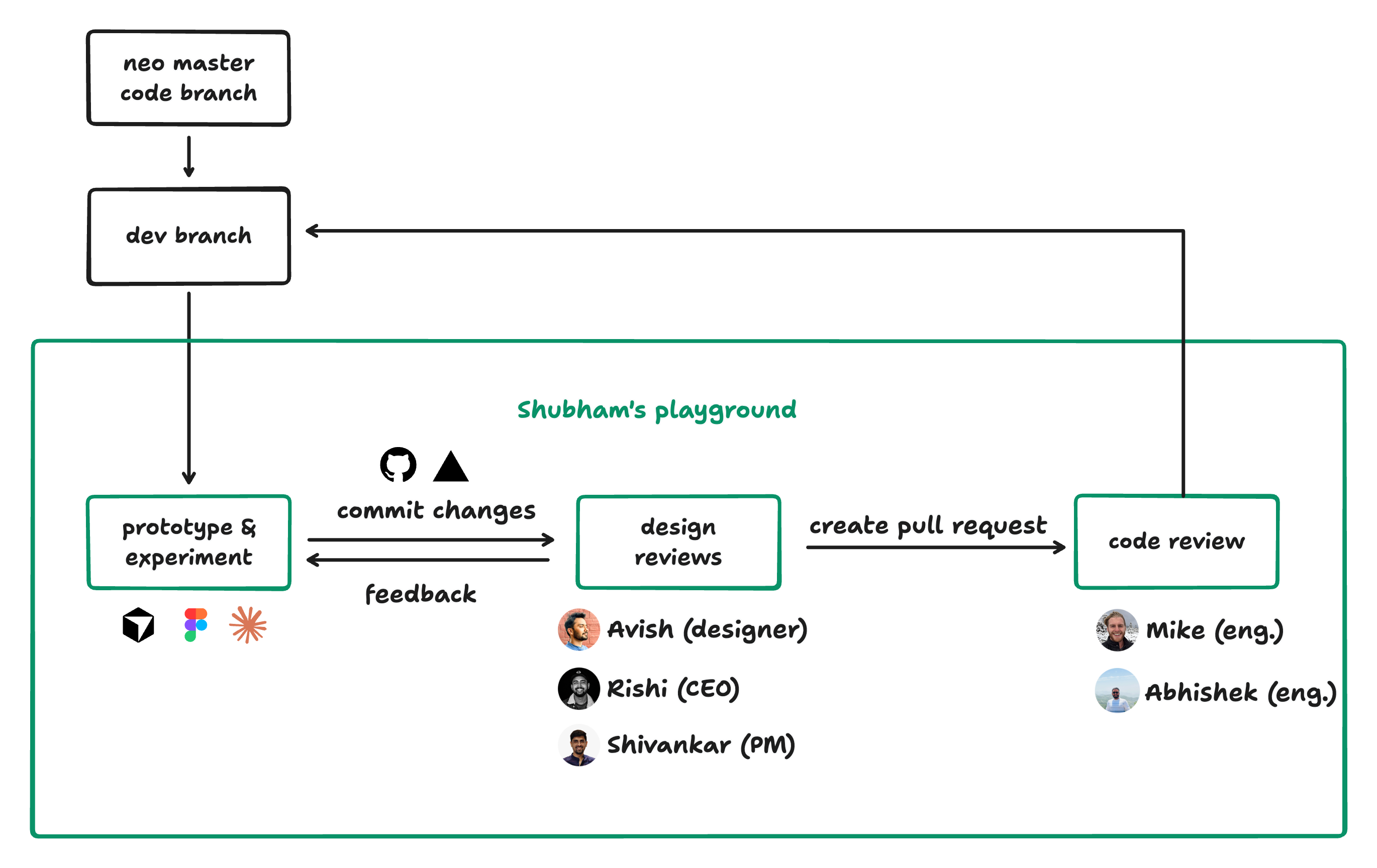
I worked directly in Neo's development branch, using Cursor to prototype ideas before refining them through design reviews and engineering feedback. This workflow let me iterate quickly and validate interactions before they shipped.
Giving users a starting point
The first thing I tackled was the blank state. I surfaced common security workflows directly below the input. Clicking any card instantly prefilled the chat input with the full prompt, ready to run or customize. For users who wanted to go deeper, an "Explore Prompts" button below opened a full sidebar panel.
The sidebar worked well initially, but as the prompt library grew, it became harder to organize, browse, and discover workflows.
Organizing by category
To address the growing prompt collection, I removed the sidebar experience and brought the prompt collection directly into the main experience.
I introduced categories below the chat input, helping users browse workflows more efficiently.
As prompts became central to Neo, we moved beyond discovery and focused on prompt creation, management, and sharing.
From suggestions to a library
As the library grew, I redesigned it around browsing instead of categories. Prompts were displayed in a searchable grid with filters, visibility controls, and support for private, team, and public prompts. Users could also fork existing prompts, customize them, and save them as their own.
The library was starting to feel less like a collection of suggestions and more like a shared knowledge base where teams could capture, reuse, and build on proven workflows.
The Pivot
RSAC 2026 gave us the opportunity to watch security practitioners use Neo in real-world scenarios. The Prompt Library helped users discover Neo's capabilities, but customer demos revealed a different problem. New users weren't struggling to find prompts. They were struggling to know where to begin.
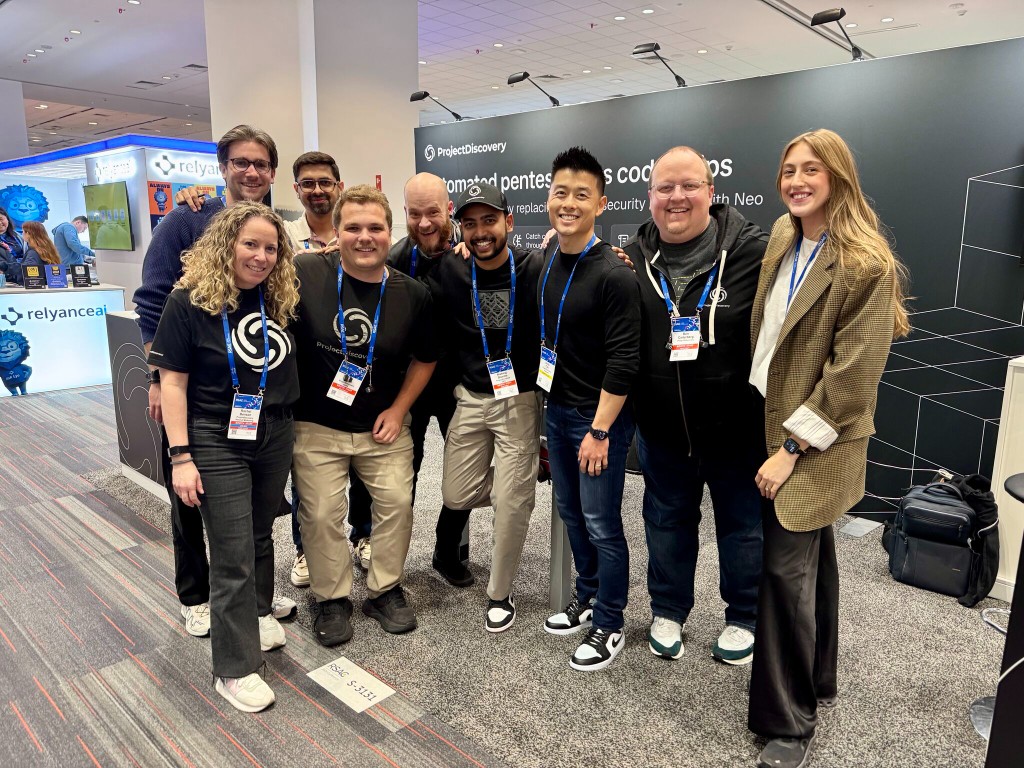
Most security workflows required repositories, credentials, authentication tokens, and other context before Neo could produce meaningful results. Experienced users navigated this comfortably, but first-time users often found the growing library overwhelming.
We discussed the feedback internally and concluded that the Prompt Library exposed too much of Neo too early. We narrowed the experience to Neo's three most common workflows: Penetration Testing, Vulnerability Triage, and Code Audit.
Guided workflows
We redesigned the experience around user intent, letting users start with what they want to accomplish instead of choosing from a library of prompts.
Each workflow guides users through a short setup, collecting the repositories, credentials, scope, and other context Neo needs to run an investigation. The prompts still exist under the hood, but users no longer have to read, edit, or understand them.
Outcomes
🚀 Reduced time to value
Users start an investigation by choosing a workflow instead of searching, reviewing, and editing prompts.
🧠 Reduced cognitive load
Users focus on the investigation while Neo guides them through the information each workflow requires.
📈 Scalable experience
New capabilities fit into the same workflow model without expanding a growing library of prompts.
What I Learned
This project changed how I think about AI interfaces. I started by making prompts easier to discover and finished by making them almost invisible.
The project also reminded me that designing AI products isn't about replacing buttons with prompts. It's about helping people complete work without asking them to understand how the system works.
The best interaction isn't always the one users see, sometimes it's the complexity you decide to remove.